
Wearables and data

Works with the data you already have.

Your watch, your ring, your phone. Wave reads from the health platform on your handset and connects directly to the devices people ask for most, so the sleep you already track and the workouts you already log finally sit on one timeline.

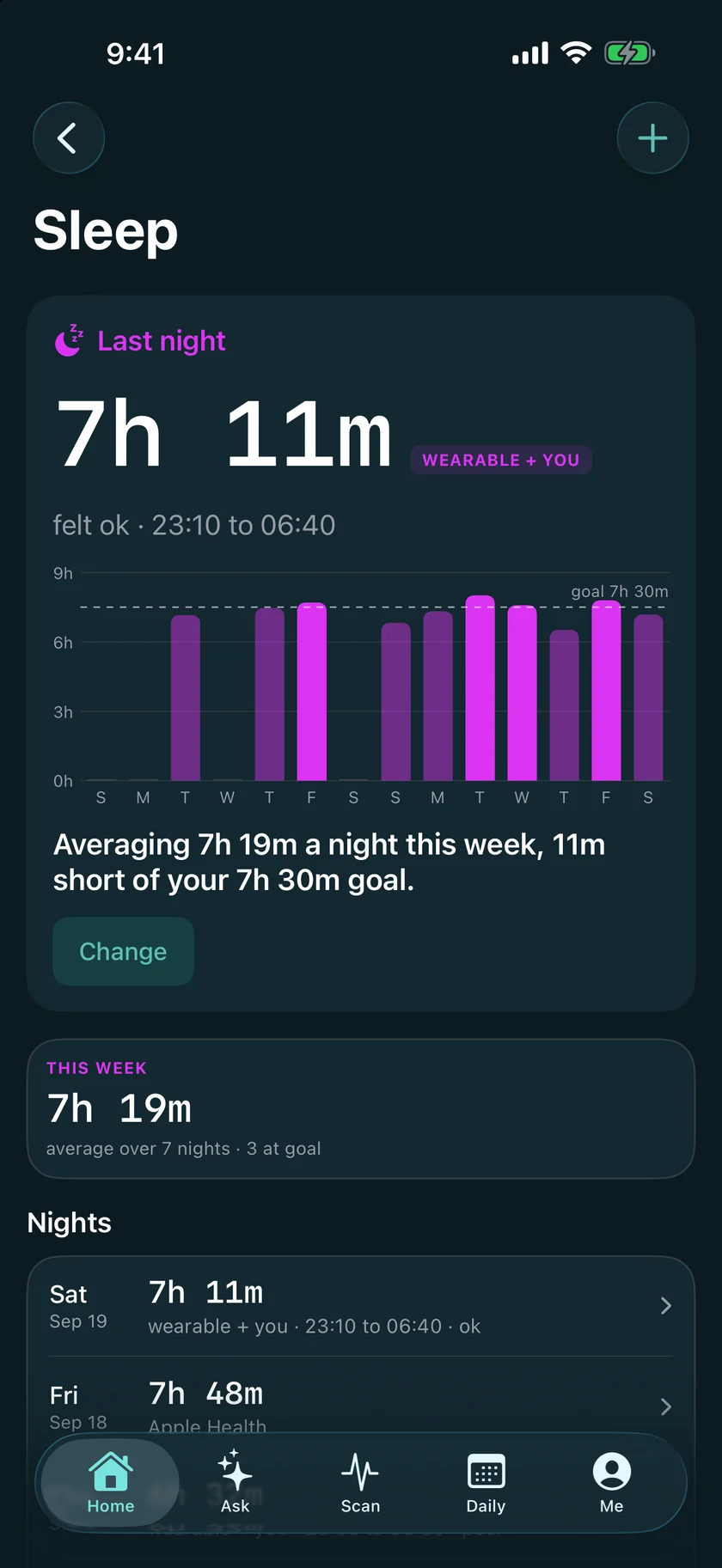
The Sleep screen: last night, the fortnight and the goal line, read from a wearable.
Sources

Six ways in. No new gadget required.

Wave works with just your phone, which already counts steps and can log sleep. Everything below adds richer data when you have it.

Apple Health

Apple HealthLive now

On iPhone, Wave reads Apple Health directly: steps, workouts, sleep, resting heart rate, HRV, VO2max and more, from the Watch, and from any ring or band that already writes to Health. Authorized once on the handset; there is no account to connect.

  • iPhone
  • Apple Watch
  • Any Health-connected device
WHOOP

WHOOPLive now

A direct connection. Recovery, strain, sleep stages, HRV and resting heart rate, pulled each morning. WHOOP has no step counter, and Wave says so rather than showing a zero.

  • Direct
  • Recovery
  • Strain
Health Connect

Health ConnectComing soon

On Android, Health Connect will be the same idea as Apple Health: one permission, and every app and device that writes to it becomes a source. Samsung Health, Google Fit and most bands and rings route through it. Being wired now, alongside the Android app.

  • Android
  • Samsung Health
  • Google Fit
Oura

OuraComing soon

Oura will arrive through Apple Health on iPhone and Health Connect on Android, which the Oura app already writes to: sleep, readiness inputs, HRV and resting heart rate. A direct connection is further out.

  • Via Health
  • Sleep
  • HRV
Garmin

GarminComing soon

Garmin will arrive through Apple Health and Health Connect, which Garmin Connect already writes to: steps, workouts, sleep and heart rate. A direct connection is further out.

  • Via Health
  • Workouts
  • Steps
Fitbit

FitbitComing soon

A direct connection through your Fitbit account: steps, sleep, resting heart rate and HRV, synced daily. Built and waiting on Google to approve the account that reads health scopes.
  • Direct
  • Steps
  • Sleep
  • 6ways intwo health platforms and the devices people ask for most
  • 2live todayApple Health and WHOOP; the rest are being wired
  • 6signals on one timelinesleep to steps, beside your labs and your meals
  • 1permission on the handsetauthorized once, revoked in one tap
What comes through

The signals, on one timeline.

A wearable knows how you slept and has no idea what you ate, how late you trained, or that you had three coffees. Wave lines every source up against the others, so the night after the late session and the morning after the early walk finally get compared.

  • SleepDuration, consistency, stages, and the night-to-night pattern.
  • Resting heart rateFrom the wearable, or from the morning face scan when you have none.
  • Heart-rate variabilityAgainst your own baseline, never a population average.
  • Steps and workoutsCardio and strength sessions, with the recovery they cost.
  • VO2maxEstimated fitness, one of the inputs to your Wave Age.
  • Weight and waterFrom a connected scale, or typed in when you like.
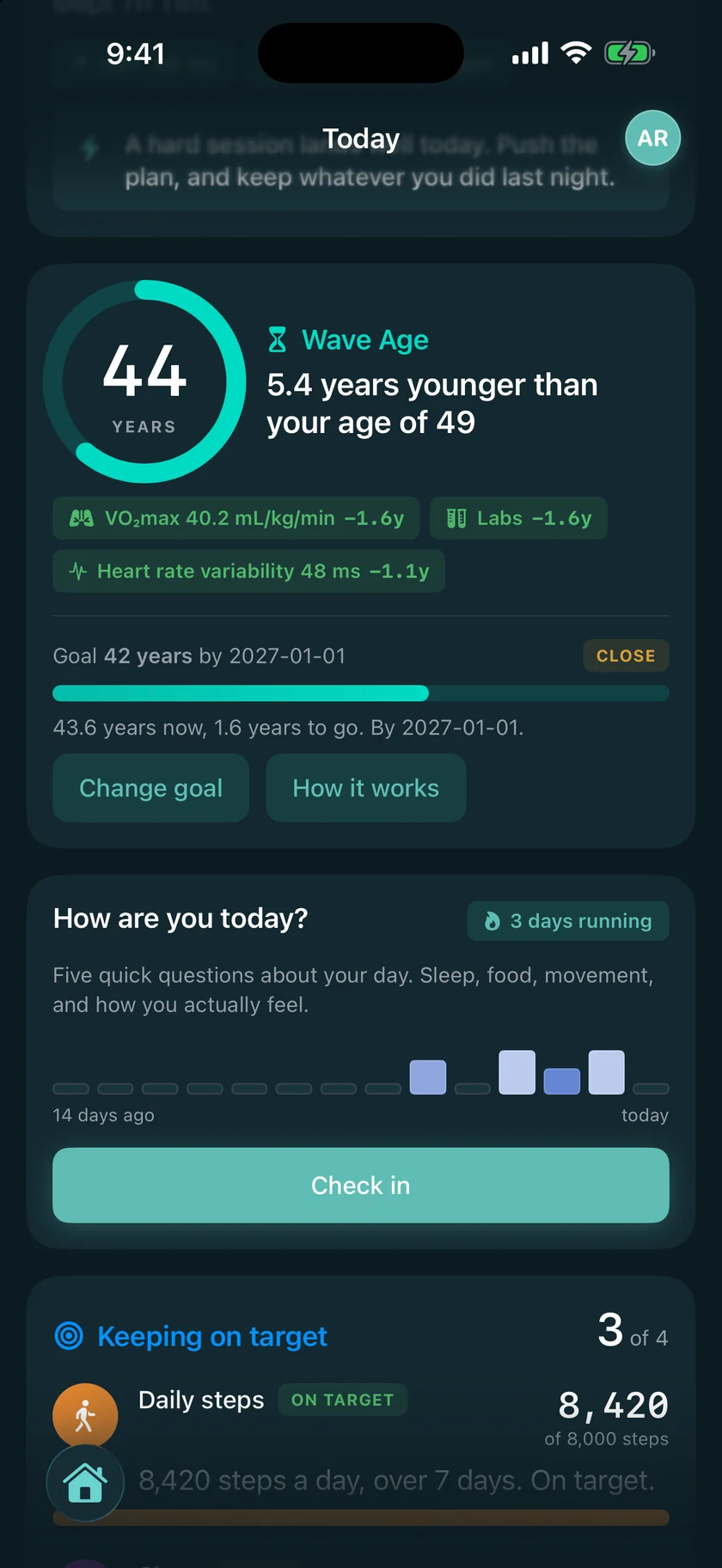
Today, scrolled: the keeping-on-target list with steps, sleep and workouts a week.
How it behaves

Connect once. Disconnect any time.

  • A direct connection syncs each morning and shows when it last did, on the device's own card.
  • Disconnect a device and it stops syncing immediately. What it already sent stays yours, in your record.
  • A source that cannot report something says so. WHOOP has no step counter, and Wave shows no steps from it rather than a zero.
  • Nothing you connect is shared with the device maker, and nothing a device maker sends is shared with anyone.

Live today: Apple Health, and a direct connection to WHOOP. Health Connect, Oura, Garmin and Fitbit are being wired, and each card above says where its own is up to.

Bring what you have. Wave takes it from there.

Join the list, and tell us which device you wear. It helps us decide what to connect next.

Download on the App StoreLaunching in October
Get it on Google PlayLaunching in October